



14
Mar
FIU RCMI GIS Intermediate Workshop ΓÇô Exercise 4
in News
Comments
Exercise #4 -Regression analysis using ArcGIS Pro
Objective: Learn how to build, interpret and diagnose OLS and Geographically Weighted Regression models in ArcGIS Pro
For this exercise you will be using an official Esri training course. Your FIU organizational account gives you free access for useful tutorials and classes in the Esri Training ecosystem.​ 
Step 1 – Log in and open find the Esri Training Center
- Navigate to https://fiugis.maps.arcgis.com and sign in with your FIU credentials.
- Open your Profile (top right corner) and click Training (You can also navigate to https://www.esri.com/training
- Find the Course Catalog on the page or navigate to https://www.esri.com/training/catalog/search/ 
- Use the Search to find the “Introduction to Regression Analysis Using ArcGIS Pro” Web Course.
- You can also follow this direct link.
Step 2
- This course has useful background information on regression analysis with ArcGIS Pro, and goes into more details than what we covered in this workshop. Feel free to check it out at your own pace.
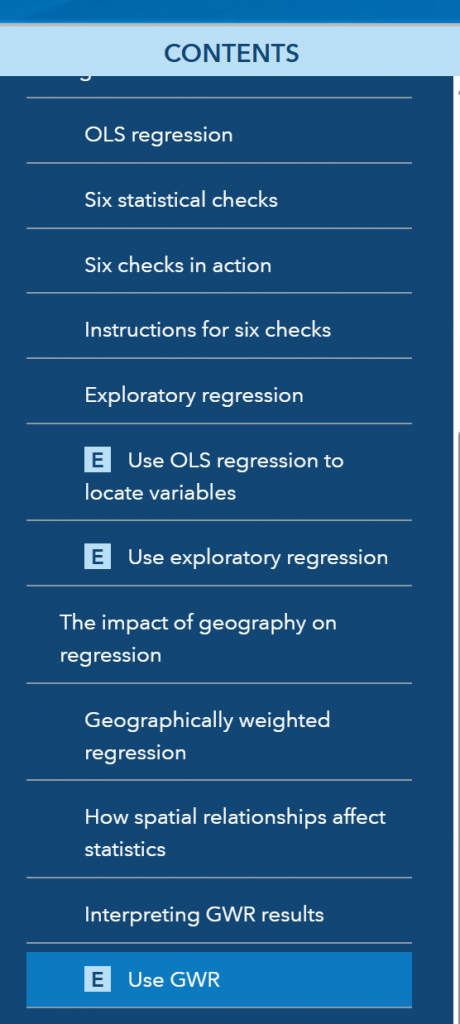
- In the Table of Contents, find the modules marked with an E (Exercise)
- Follow the steps in the Exercises
- The dataset can be downloaded from the “Use OLS regression to locate variables” exercise
- GWR will use the same dataset